
Import from ZIP files
Import store data into Shopify from a previously exported Recover ZIP file when in-app restore or cloning isn't an option.
Do you need clone, restore, or import?
If you want to copy or move data between stores, use the clone feature instead. Cloning transfers data directly between stores without downloading or uploading files.
If you need to restore data within the same store where Recover is installed, you don't need a ZIP file — use restore individual items or bulk restore directly from the app.
ZIP import is only needed when neither option is available:
- Lost store access — You can't log into your Shopify admin or your store is inactive
- Store was paused or closed — You previously exported your data and need to restore it into a new or reopened store
Import from a ZIP file
Prerequisites
- A ZIP file previously exported from Recover
- The Recover app installed on the target store
1. Open the import tool
Open Recover from your Shopify admin and click Import on the dashboard.
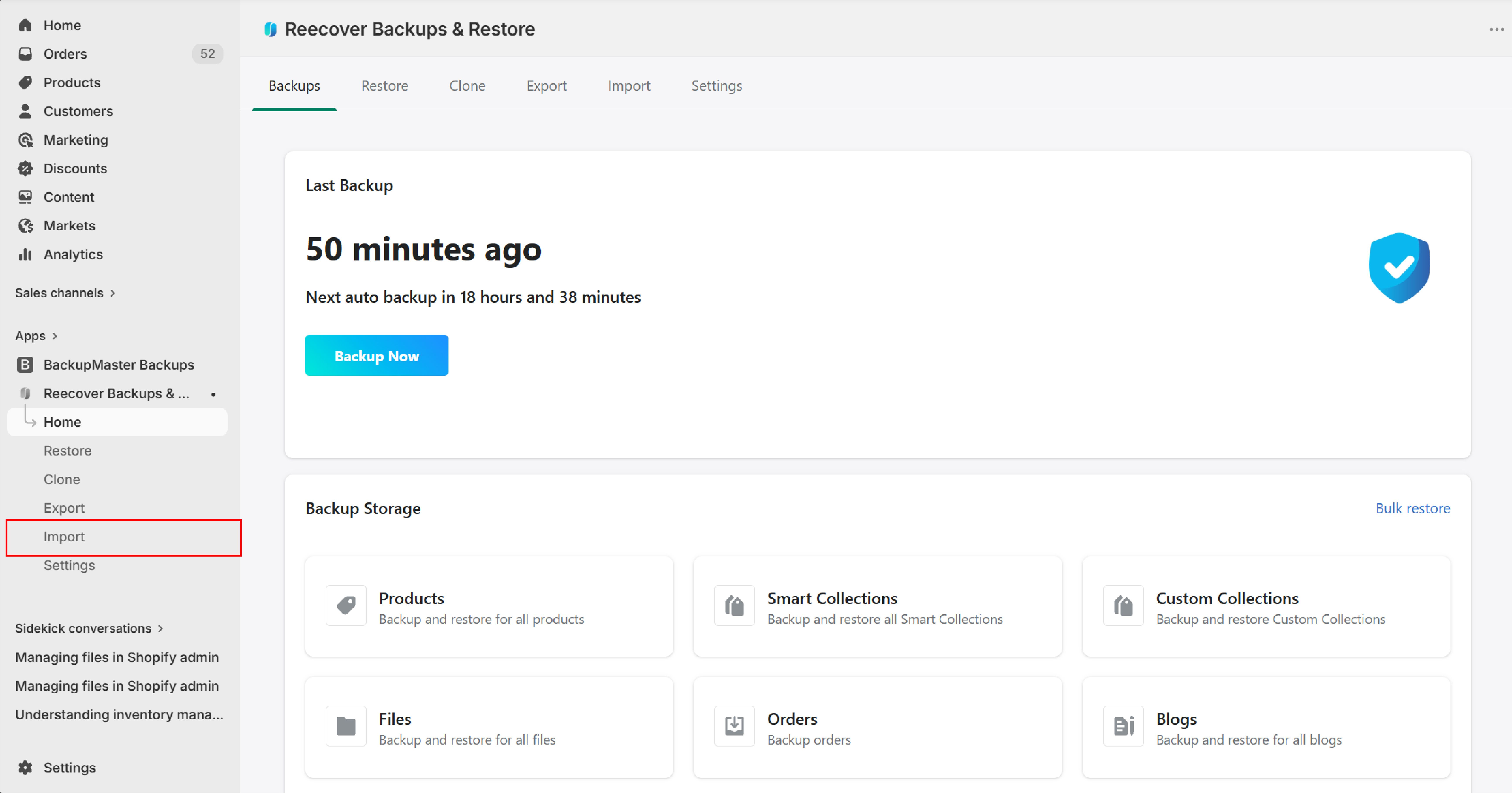
2. Upload and review the file
Select the ZIP file to import. Recover analyzes the file and displays the data categories and item counts it contains.

Troubleshooting
Import fails with errors
Contact support at support@massyve.tech so the team can review the logs.
ZIP file not recognized
The file must have been exported from Recover. ZIP files from other sources aren't compatible.
Some items fail to import
Individual item errors are usually caused by Shopify API restrictions. Contact support to identify which items failed and why.
Frequently asked questions
Can I import data from a different store's backup?
Yes. You can import a ZIP file exported from any Recover-connected store into a different store.
Does importing overwrite existing data?
Recover matches each item by ID first, then by handle. If a match is found, the existing item is updated. If no match is found, a new item is created.
Need help?
If you have questions or need assistance, the support team is here to help. Reach out at support@massyve.tech or visit Contact support.